I just checked and found that it is working, and it is the paid version. Now I found one more issue as it was not earlier that when you log off your account and work as a free user it is not showing issue if you implement anything which is from paid user earlier it was showing as a pro icon and display error while implementation.
Hi @Phuc_Nguyen, @huydna, @huyleminh, @Thi_Nguyen,
[URGENT] I’ve run into a critical issue that severely impacts debugging and usability from version 0.5.0 onwards (still present in 0.5.4).
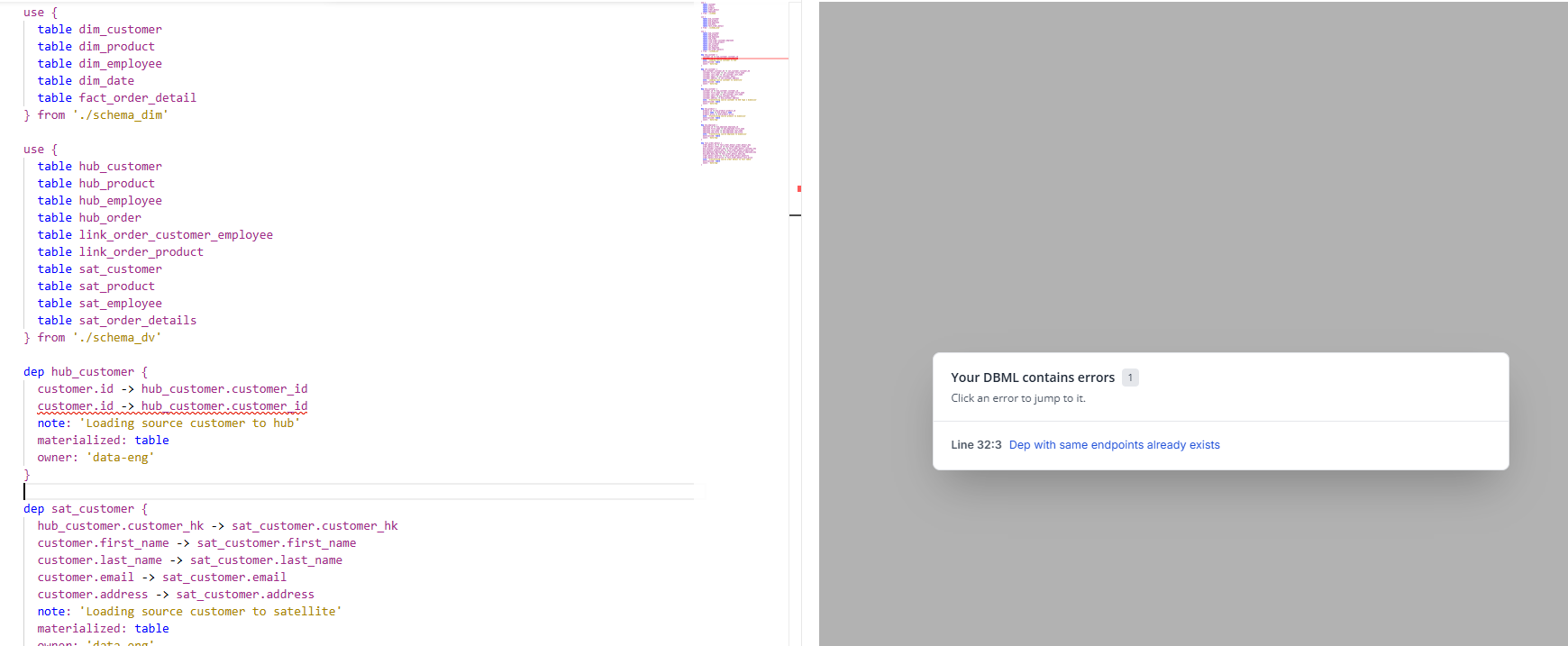
Previously (in version 0.4.0), if there was an error like a duplicate column, a popup would immediately appear on the canvas detailing the issue, and double-clicking it would redirect you straight to the offending line of code.
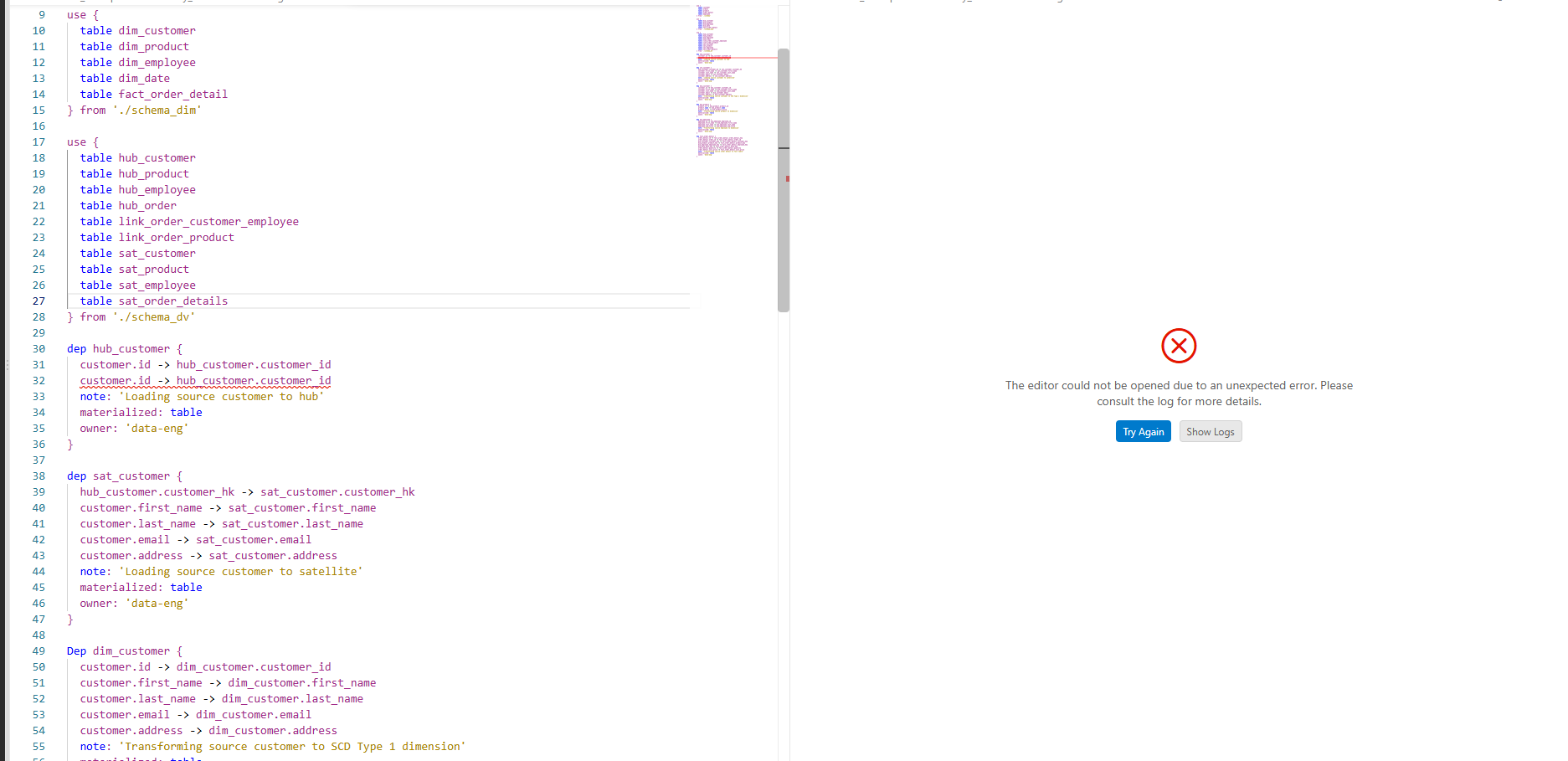
Currently, neither the diagram nor the error feedback renders—the canvas just goes completely blank.
Could someone please look into this urgently? It makes tracking down schema errors very difficult right now.
Hi @Ashish_Bajpai ,
Thanks for reporting this, and sorry for the trouble. We’re looking into it. To reproduce it on our side, could you send us the following, either in this thread or by email to dbdiagram@holistics.io?
1. Console logs
- Open the
.dbmlfile with the error and open the diagram preview, so the blank canvas is showing. - Go to Help → Toggle Developer Tools.
- In the DevTools window, open the Console tab.
- Right-click inside it → Save as…
2. Extension logs
- Open the Output panel: View → Output.
- In the dropdown at the top right of the panel, select dbdiagram (dbml).
- Copy everything in the panel.
3. VS Code version
- Go to Help → About.
- Click Copy and paste the result into your reply.
4. Screenshots
- Some screenshot of the problems happening.
5. A sample DBML file
- The DBML you were using when the error happened, attached as a
.dbmlfile or pasted as text. - If the full schema is large or private, a smaller version that still reproduce the issues is fine.
Once we have these, we’ll get back to you as soon as possible.
Hi @Phuc_Nguyen,
I managed to track down the exact root cause of the error display issue, and it was a tricky one to catch!
Initially, everything was working fine on my personal machine while running version 0.5.4. However, I remembered running into issues yesterday on my office machine, where I had to drop back to version 0.4.0 just to get things working.
Today, I ran a series of tests locally:
- Switched to version 0.4.0 >> Error messages displayed correctly (as expected).
- Switched back to version 0.5.4 >> Error messages displayed correctly again.
At that point, I realized the environment variables or local setup weren’t the culprit—something else was triggering it. Then it hit me: the issue is tied to user authentication.
As soon as I logged out of my DBML account and continued working, the error display messages stopped appearing entirely (resulting in a blank canvas/no feedback).
Could you try testing the code while logged out ? That should immediately reproduce the issue on your end.
CC: @huydna ; @huyleminh
With login:
Without Login
and also please check with pro and non-pro user. Not sure if this may be another issue
Hi @Ashish_Bajpai, we’ve reproduced the problem and identified the root cause, thank you for your report!
1 Like
Hi @Ashish_Bajpai ,
We just released a new version to fix the issue that the error popup is not shown when you are not logged in. Please update to the newest version and give it a try.
1 Like
Give me 10 minutes I will check and update you
No not working as expected. I have code with error showing error in 4 version
But with new it is showing No Database Schema found but not error as displayed in version 0.4.0
Hi @Ashish_Bajpai ,
Could you please tell me what is the version you installed? Also, could you please provide us with some screenshots and a simple set up so we can test this from our end?
Interestingly, the issue isn’t appearing for me on my personal PC, though it was happening on my office PC.
I tested this by logging out of my account, which reproduced the behavior. I’ll need to check my office machine to see if I missed something there, though I won’t be able to share screenshots from that setup. If I encounter the same issue there, it likely means I wasn’t logged into my DBML account on the office machine.
Let me follow up with a detailed investigation by Monday
Yes, I checked again, and the issue still persists. Emailed you. Please check there.