Also, I recently bought a DBML license and noticed TableGroup doesn’t support "use * from". This is crucial for us because we generally need to differentiate source and target tables using different colors in the lineage graph.
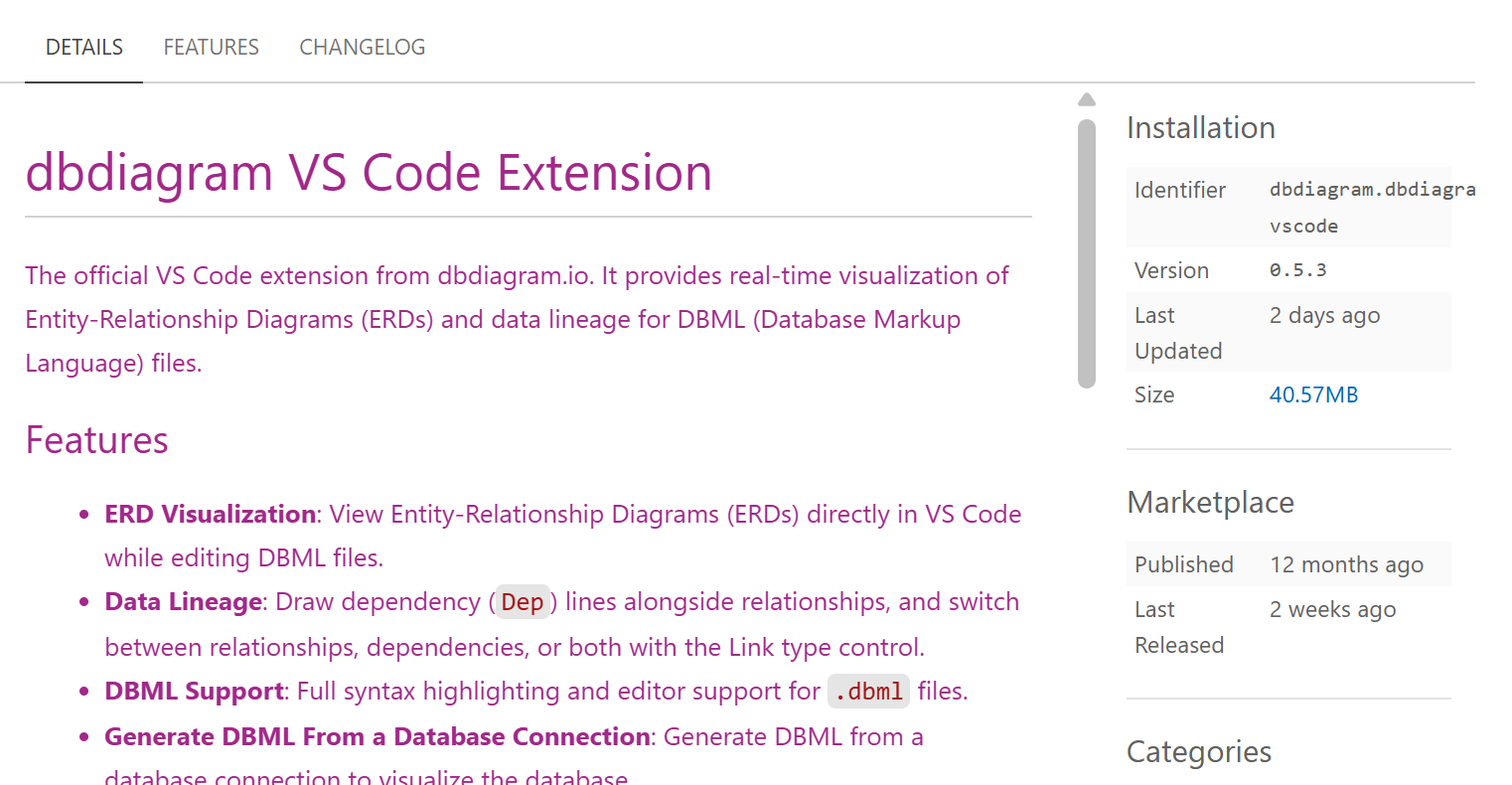
Hi @Ashish_Bajpai, regarding issue 1, there’s outdated code bundled in version 0.5.3 So can you try to downgrade to version 0.5.2, we’ve tested and dep seems to work at this version.
@huydna ,
I have pro account and login into VS Code. It is like if I import file it will not allow me to use table group after importing file where I am using. If it is already a table group in the source file and I import all tables from source, then yes, it is showing as a table group, but if we are importing some of the tables from the source, then it won’t show as a group, and it is not allowed to make a group on imported tables.
To test this scenario you may create a table group on source file and import all table you will see the group now second thing you import only selected table you won’t see the group now after importing try to create a group it won’t allow you to do now after importing try to create a group it won’t allow you to do.
Let me know if you have any more questions on detail for the scenario I can create a screenshot if needed.
Thanks.
Hi @Ashish_Bajpai, you can import the table group directly. Note that you must import the table group (via named import or use *) for the tablegroup to be rendered. Importing a tablegroup will also implicitly import all tables it contains. You cannot do another way around though, importing some or all tables in the tablegroup won’t auto import the tablegroup.
So, you can do something like this:
// file_a.dbml
Table T1 {
  id int
}

Table T2 {
  id int
}

TableGroup G {
  T1
  T2
}
Then file_b can just import G:
// file_b.dbml
use { TableGroup G } from './file_a` // G, T1, T2 will be in scope and rendered

use * from './file_a' // This work too
We’ve released version 0.5.4 for VS Code extension, which fixes the Dep not rendering issue. Please update the extension when you have the time and let us know if it still happens.
You’re right that we can import groups directly. However, I think it makes more sense to define groups on the imported tables instead.
When importing, the destination model often incorporates additional elements that weren’t present in the source. For example, think of moving data from an RDBMS to a data warehouse: the RDBMS uses relational tables, whereas the warehouse uses dimensional tables. Because we usually only import tables tied to specific KPIs rather than the entire database, the grouping logic needs to differ.
Therefore, defining the groups within the definition/destination file gives a much cleaner, more relevant view than carrying over the source grouping.
What are your thoughts on this? Let me know if I’m missing anything.
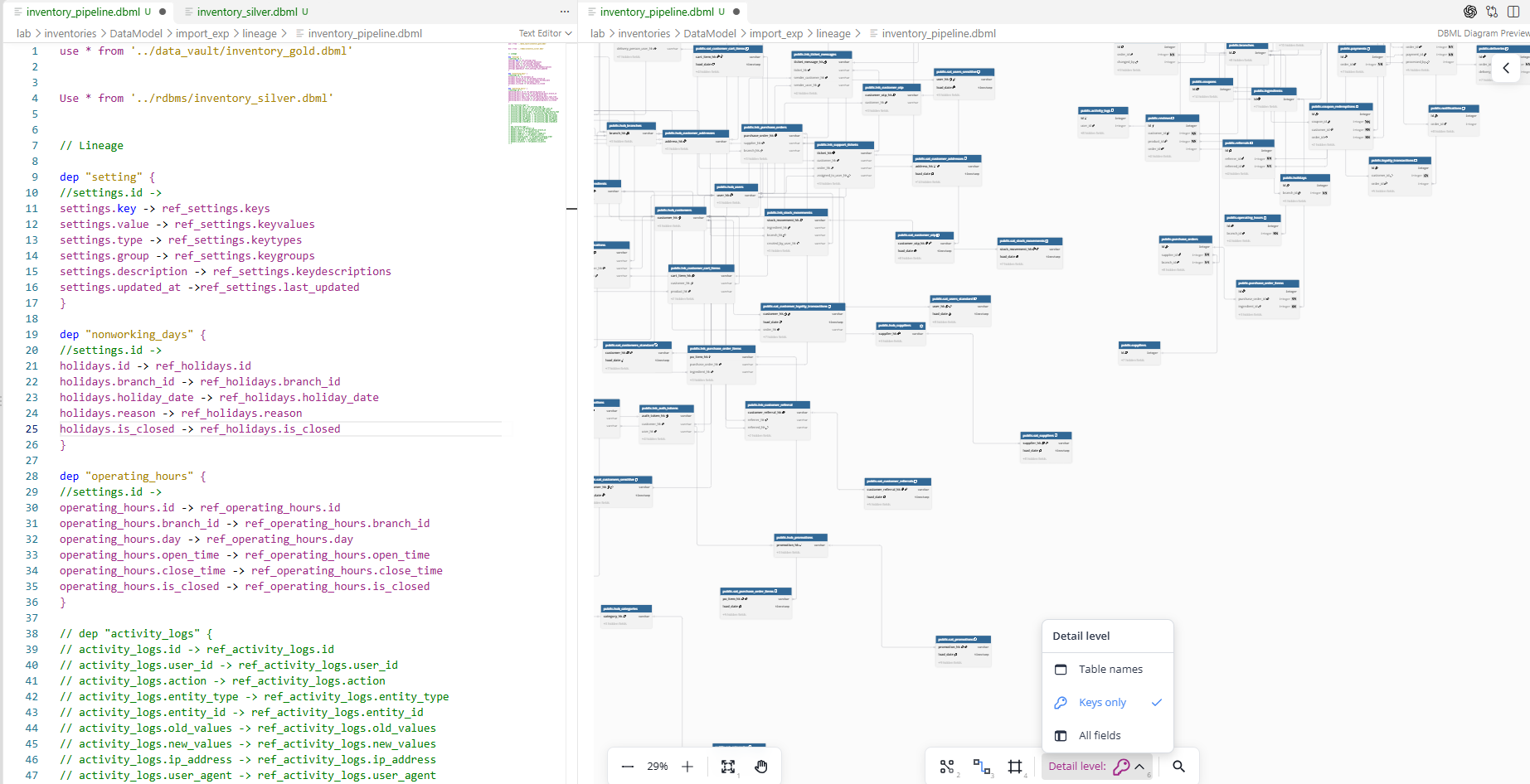
I just checked, and yes, it is working with “dep”.
There is one more small issue it is not important to solve it so soon but yes its look not up to the mark.
When you click on the arrow of “dep” you see that it will show import position from source to destination table its look very good when we have one source but horrible when we have multiple source for single table instead of showing in paragraph if this can show in bullets will be very good to readable and especially when you click on book icon you cannot read anything so I think it’s supposed to some bullet point and readable while clicking on book icon.
Hi @Ashish_Bajpai, regarding your input for tablegroup, I can understand your reasoning. We will need to discuss this with our team though and may take some time to prioritize.
Regarding deps, you’re inputting that the current approach of rendering multi-sources are unreadable I suppose?
Yes, we may ignore tablegroup for now. Actually, I was quite fine until you introduced dep .
Lineage and Import change the scope of work. Looking at the tool now, it goes far beyond any web-based ERD tool, which is why TableGroup is starting to play a major role. That said, it is not critical for right now. I recently purchased a license and noticed this missing piece, so I thought it best to share the feedback for your upcoming release.
The current title format for dep works well when you have a single source, but common database table names can easily be 30 characters, and along with the schema name, they can exceed 30+ characters. If we factor in a target table of a similar size, your current dep title displays something like "Source schema name.Source tablename -> Destination schema name.Destination tablename"
, which totals around 70 to 90 characters.
Now, if you have more than one source (let’s assume 3 for now), it scales to roughly 40 * 3 (sources) + 2 (commas) + 40 (target name) + 2 (arrows) = over 170 characters . Needless to say, that will not fit cleanly onto a single line.
If you could use bullet points to break it up in Markdown, such as:
source_A → target_D
source_B → target_D
source_C → target_D
Or use a table:
Sources
Target
source_A
target_D
source_B
target_D
source_C
target_D
It would be much cleaner, more attractive, and far easier to read. Just my two cents—feel free to take it however you see fit!
Oh I was not aware of the manual color, I’ll try. Thanks, A small and quick implementation idea:
As in “ref”, we have 2 choices (Default and Inactive), and they display 2 different line colors. Same in “dep” if 3 Choices (Default, Union, Coalesce) can be added with 3 different colors of line, will be great to display.
Because in “dep” data dependency can be 4 types: One-to-One (Direct), Lookup, Union, and Coalesce. First 2 are already covered; if we can display 2 different colors of lines, the remaining two will be ultimate.
Let me know your views.
 In the meantime, we’ll proceed with investigating these assumed issues.
 So can you try to downgrade to version 0.5.2, we’ve tested and dep seems to work at this version.