Import diagram from db connection, like postgresql, mssql or oracle
Hi Jherzon,
Currently, dbdiagram supports importing from postgreSQL, MySQL and SQL db servers. You can try following the instructions below.

- Click on the button import
- Select the DB you want to import
- You can enter SQL statements or upload .sql files
- Click the submit button to complete the process.
Thanks.
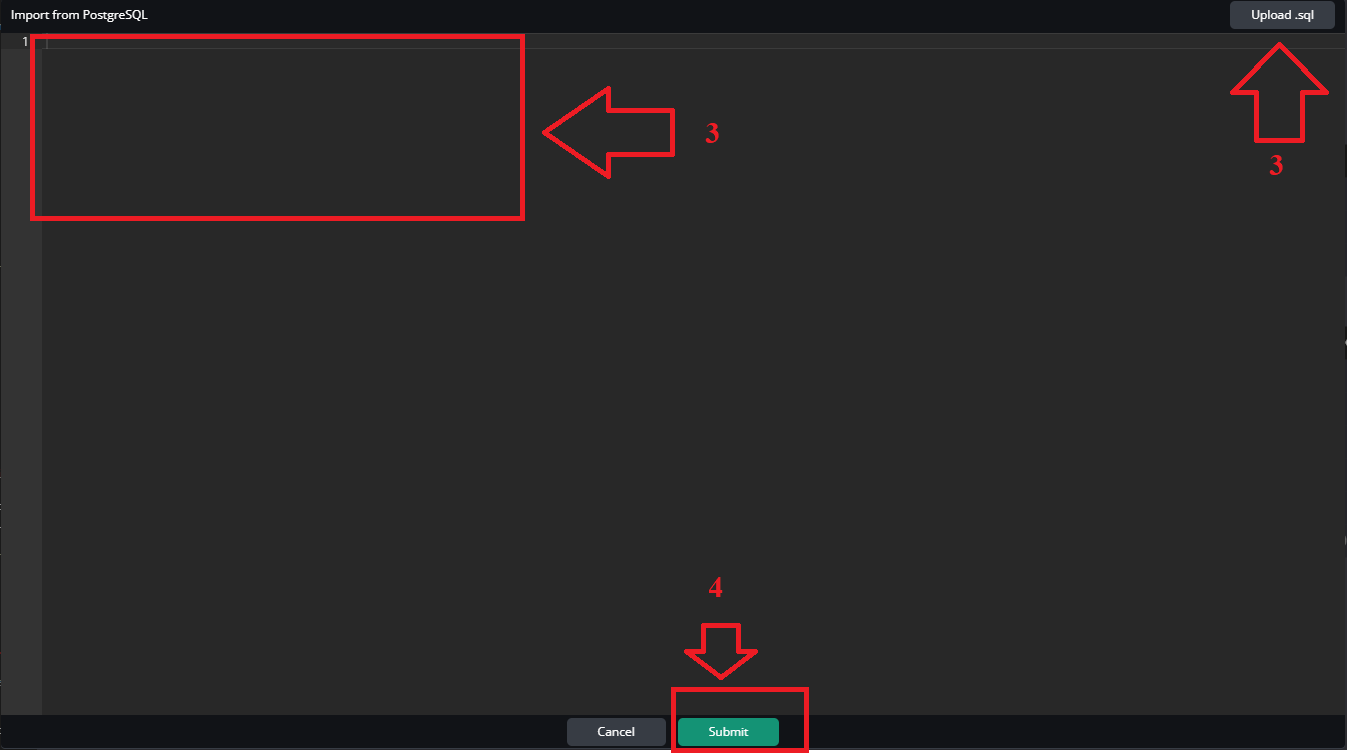
Hi @Jherzon,
Now you can connect to your DB and generate the DBML with @dbml/cli or @dbdocs. Please give it a try.
Cheers.
This appears on your roadmap for Q2 2026. Any development taking place?
Hi @adamtappis ,
It seems you are mentioning about the feature “DB/DW Direct Connection”. And this feature is still in our plan for the Q2 2026. We will notify you if there are any updates.
Also, it would be nice if you let me know that which database/dataware house that you are looking for, and what is your workflow will be if we supported this feature?
In the meantime, you can also connect to the database with the db connection then import diagram via our CLI.
Thanks.
Yes, if you’re explicitly anticipating DB/DW Direct Connection, that’s still in the plan.
The most practical method to deal with this at the moment is via the CLI, either @dbml/cli or dbdocs using db2dbml. It will introspect the schema, connect to your PostgreSQL, MSSQL, or Oracle server, and produce DBML from the live database. Manual SQL dumps don’t need to be messed with unless you want to.
Crucial information: the CLI does not pipe your schema off to an unknown location since it operates locally. Tables, columns, constraints, and indexes are among the information that is simply pulled and converted to DBML. If you’re versioning both your code and schema documents, the process is rather straightforward.
You’re most likely considering DB/DW Direct Connection if your use case involves a lot of DW operations (such as bigquery, redshift, or snowflake databases). Yet CLI is really reliable for modern transactional databases.
In order to maintain diagram synchronization, I personally simply script db2dbml into our release workflow. It’s not showy, yet it works.
2 Likes
Hi @Allen_Maria ,
Thank you for your explannation!
About the diagram synchronization, can you share your script integration so that we and others can reference to?
Also, we have a document about automatically update the erd from the codebase to the dbdiagram. You guy can see it at Programmatic ERD update with dbdiagram Public API | dbdiagram Docs